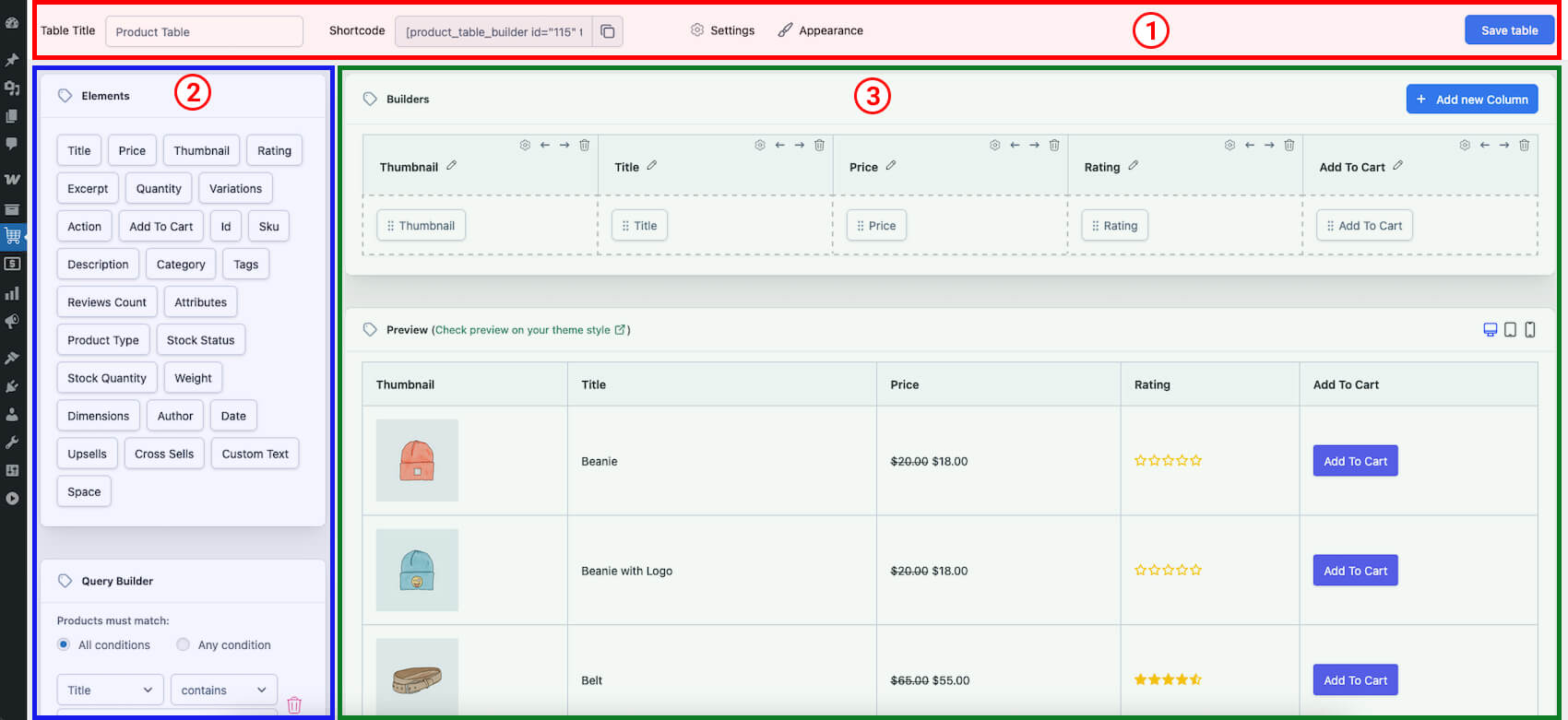
The product table editor interface consists of three main sections:
Section 1: Top Bar
- Table Title: Enter a name for your table.
- Shortcode: Displays the shortcode for your table.
- Settings: Access table settings.
- Appearance: Customize the appearance of your table.
- Save Table Button: Save your table.
Section 2: Left Sidebar
- Elements: Contains various elements you can add to your table.
- Query Builder: Use to filter the data displayed in your table.
Section 3: Main Screen
- Builders: The area where you build and customize your table.
- Preview: A real-time preview of your table.
Next Document: Building First Product Table