Step 1: Install the Product Table Builder
- Download the .zip file from your StorePlugin
- Go to: WordPress Admin > Plugins > Add New and Upload Plugin with the file you downloaded with Choose File.
- Install Now and Activate the plugin.
Step 2: Create a New Product Table
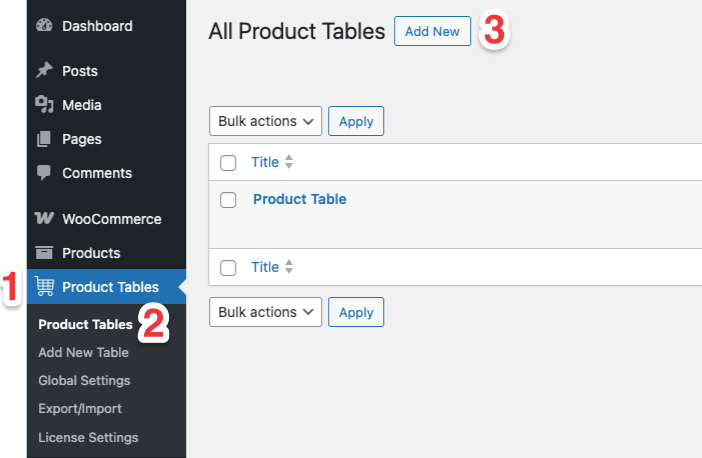
- After installation, you will see the “Product Tables” menu on the left sidebar of your WordPress dashboard.
- Navigate to the “Product Tables” page.
- Click the “Add New” button to create a new product table.
- You will be taken to the product table editor interface.
Next Document: Understanding the Interface